Less repetitive formatting
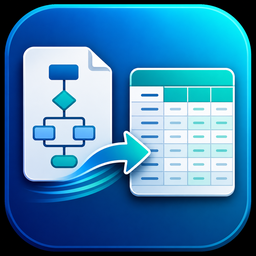
Reduce the amount of manual copying, resizing, wrapping, and column cleanup needed after reading a flowchart.
Flowchart to runsheet software for Windows
Flow2Run helps abstractors turn Excel-based flowchart data into structured runsheets with cleaner columns, preserved notes, and less manual formatting.
The problem
Abstracting flowcharts often contain important information in text boxes, notes, acreage lines, recording references, and party names. Flow2Run is designed to help organize that information into a consistent runsheet format so the review process starts cleaner.
Reduce the amount of manual copying, resizing, wrapping, and column cleanup needed after reading a flowchart.
Use a repeatable structure for common fields like instrument dates, effective dates, grantors, grantees, and tract descriptions.
Give reviewers a cleaner Excel runsheet that is easier to scan, verify, correct, and deliver.
How it works
Choose the supported spreadsheet file that contains the abstracting flowchart data.
Flow2Run reads supported text and applies parsing rules for instruments, parties, dates, tracts, and notes.
Export a cleaner Excel runsheet that is structured for review, correction, and delivery.
Runsheet fields
Flow2Run focuses on practical runsheet columns used in abstracting and title review, while keeping original abstractor notes available for verification.
Customer access and licensing
Flow2Run.org supports the business side of the software, including customer access, license keys, activation limits, installer downloads, and update availability.
Ready to simplify your runsheet workflow?